
Before you start
- The work order should contain all services and parts, so that the total is final. See Services, parts and packages.
Record a payment
-
Open the work order
Open the vehicle's service history and select the order. The summary shows the TOTAL WITH VAT, what has been Paid and the Outstanding balance.
-
Click Edit
Click Edit above the repair list. Go to PAYMENT INFO.
-
Enter the payment
Choose the Payment method (Cash or Bank), enter the total received so far in Amount Paid and the date in Last payment. Add a Payment note if needed, for example "paid in two instalments". The Outstanding balance is calculated.
-
Update the status and save
Set the Status to PAID if the order is paid in full, or WAITING FOR PAYMENT if money is still owed. Click Save.
Follow up amounts owed
-
See the total on the dashboard
Outstanding balances shows the total owed and the number of unpaid repairs. Largest outstanding lists the biggest debtors.
-
Open the Unpaid report
Open the menu and choose Unpaid. Each unpaid repair is shown with the customer, registration number, labour, parts, total, amount paid, the amount still Unpaid, the invoice number and the last payment.
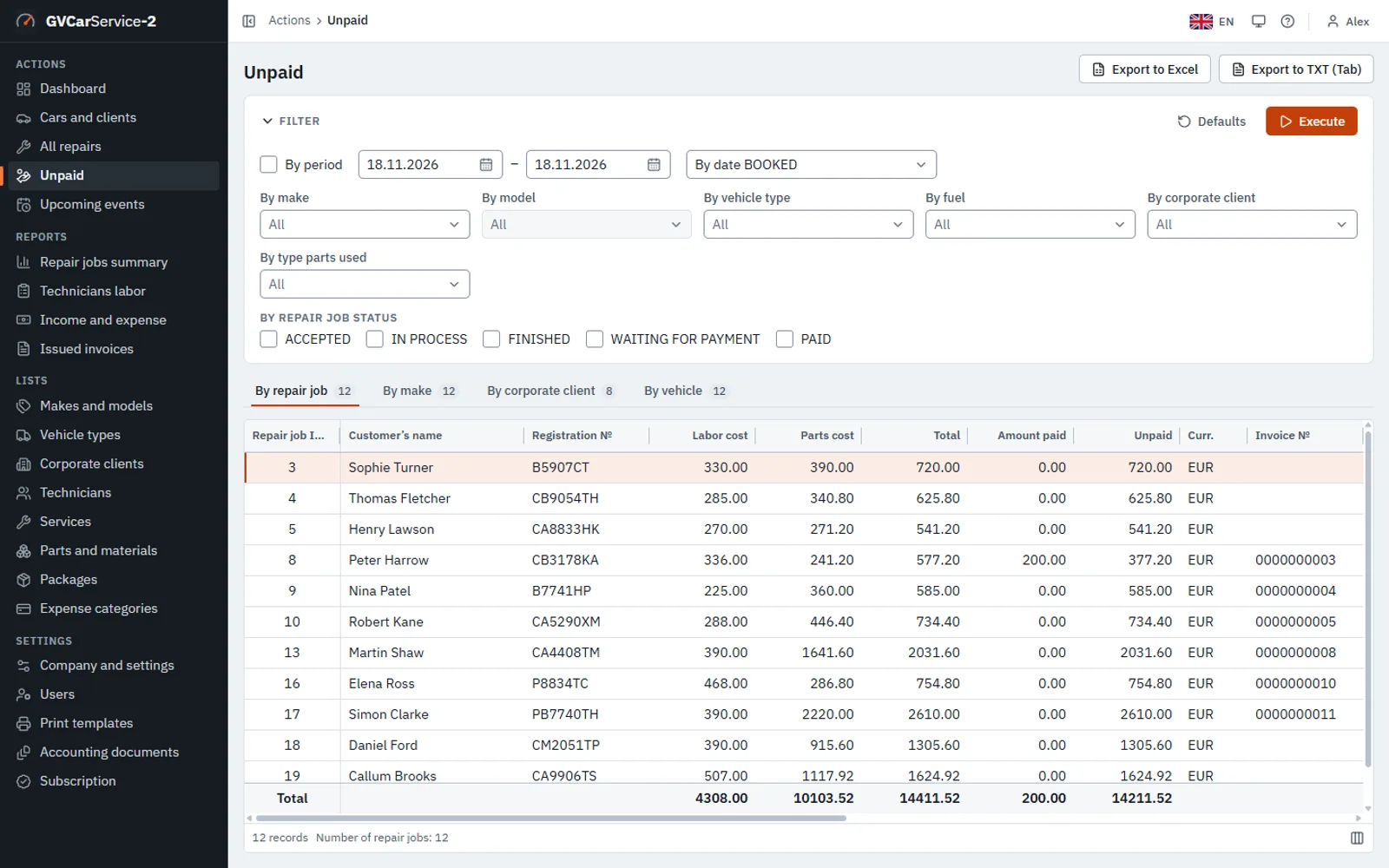
The Unpaid report -
Group and filter
Switch between By repair job, By make, By corporate client and By vehicle. Use the FILTER panel to narrow by period, make, vehicle type, corporate client or status, and click Execute.
Result
You know what each customer has paid and what they still owe, and you can call the right people. Export the list with Export to Excel if you send reminders from another program.
Tips
- Amount Paid is the total received for the order, not the latest instalment. Add the new payment to what was already paid.
- For transport companies, use By corporate client to see the debt of the whole fleet at once.