
A corporate client is a company that brings in one or more vehicles: a transport or logistics firm, a courier, a fleet. Linking the vehicles to the company lets you see and invoice everything it owes in one place.
Before you start
- The company name. The UIC, VAT number and address are needed if you will invoice the company.
Steps
-
Open the list of corporate clients
Open the menu and choose Lists → Corporate clients. The list shows the Company name, VAT №, General manager, Phone, E-mail and Contact person.
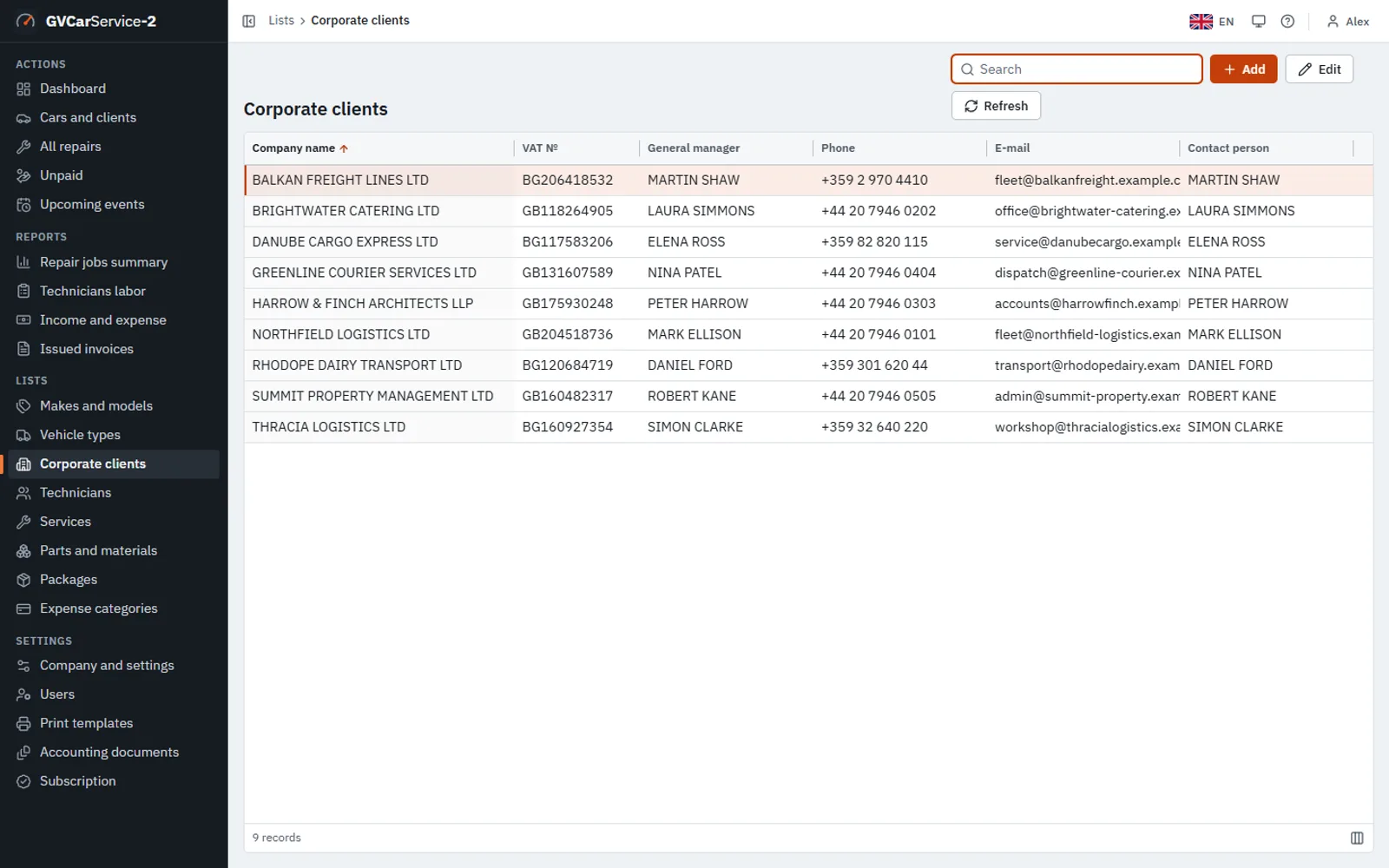
The list of corporate clients -
Add the company
Click Add and fill in the Company name (required), UIC, VAT number, General manager, Contact person, Registered address, City, Delivery address, Phone and E-mail. Click Save.
-
Link the company's vehicles
Go to Cars and clients, select a vehicle of the company and click Edit. In CUSTOMER INFO choose the company in Corporate Client and click Save. Do the same for every vehicle of the company. For a new vehicle, choose the company when you add it.
Result
The company appears in the Corporate Client column of Cars and clients. Reports such as Unpaid and Repair jobs summary can be filtered and grouped by corporate client.
Tips
- Keep the name of the driver or fleet manager in the vehicle's Customer name and the company in Corporate Client. You will know both who brought the vehicle and who pays.
- To follow up a company's debts, open Unpaid and look at the By corporate client grouping.