
Garage management software GVCarService-2
GVCarService-2 is simple Windows software for small garages with one or two workstations. Keep work orders and the repair history of every vehicle, and find them by registration number or customer name. It reminds you of upcoming events such as inspections and services, calculates technicians' labour, and tracks payments and amounts owed.
It suits auto repair shops, LPG conversion workshops, and car audio and alarm installers. An English interface is available.
€178 per year, VAT included
Features
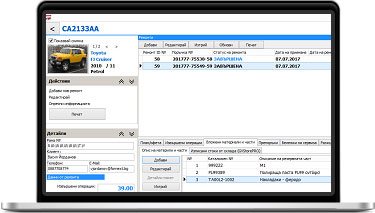
Full repair history
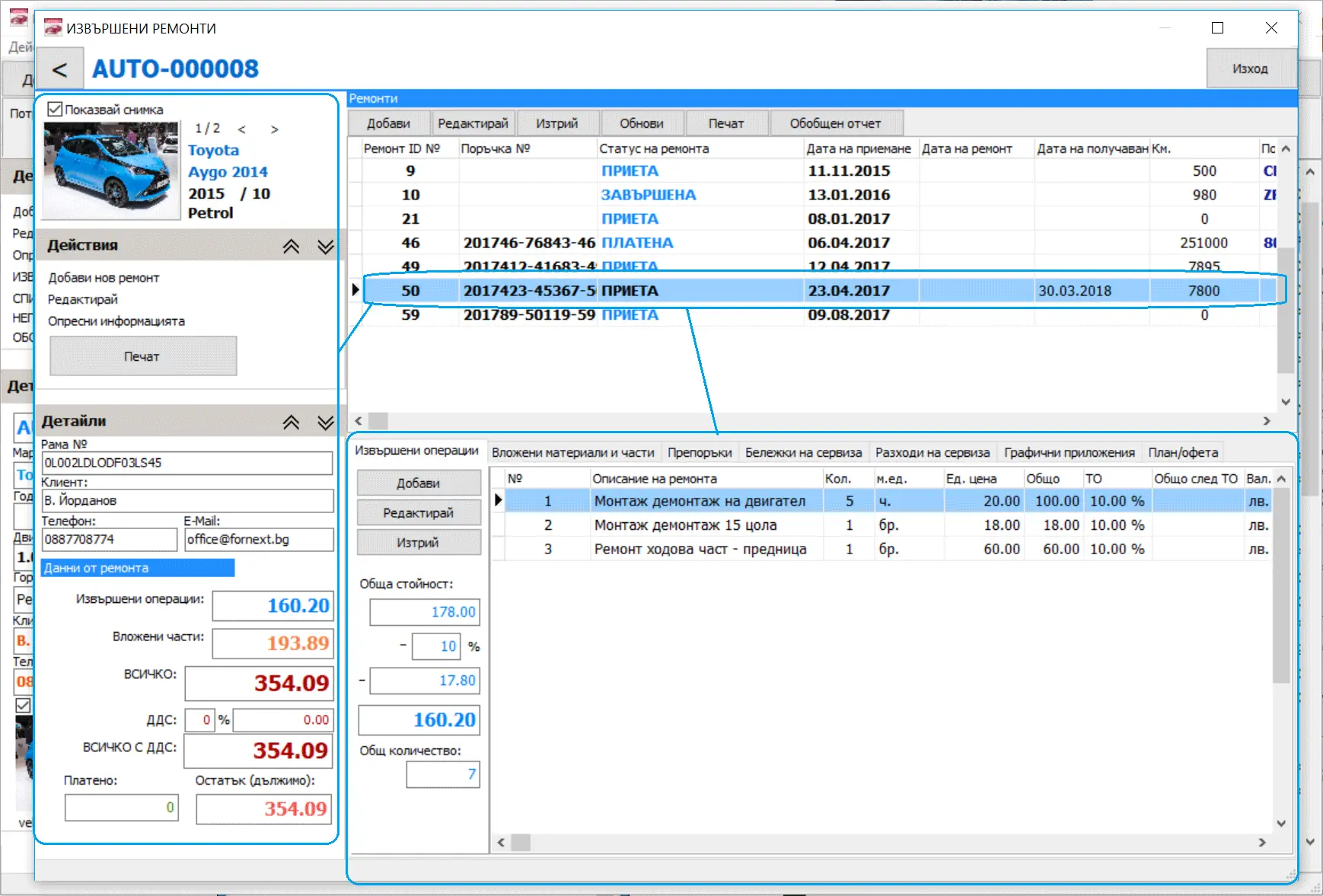
Keep the complete repair history of every vehicle and open it in a clear timeline. Each repair record contains:
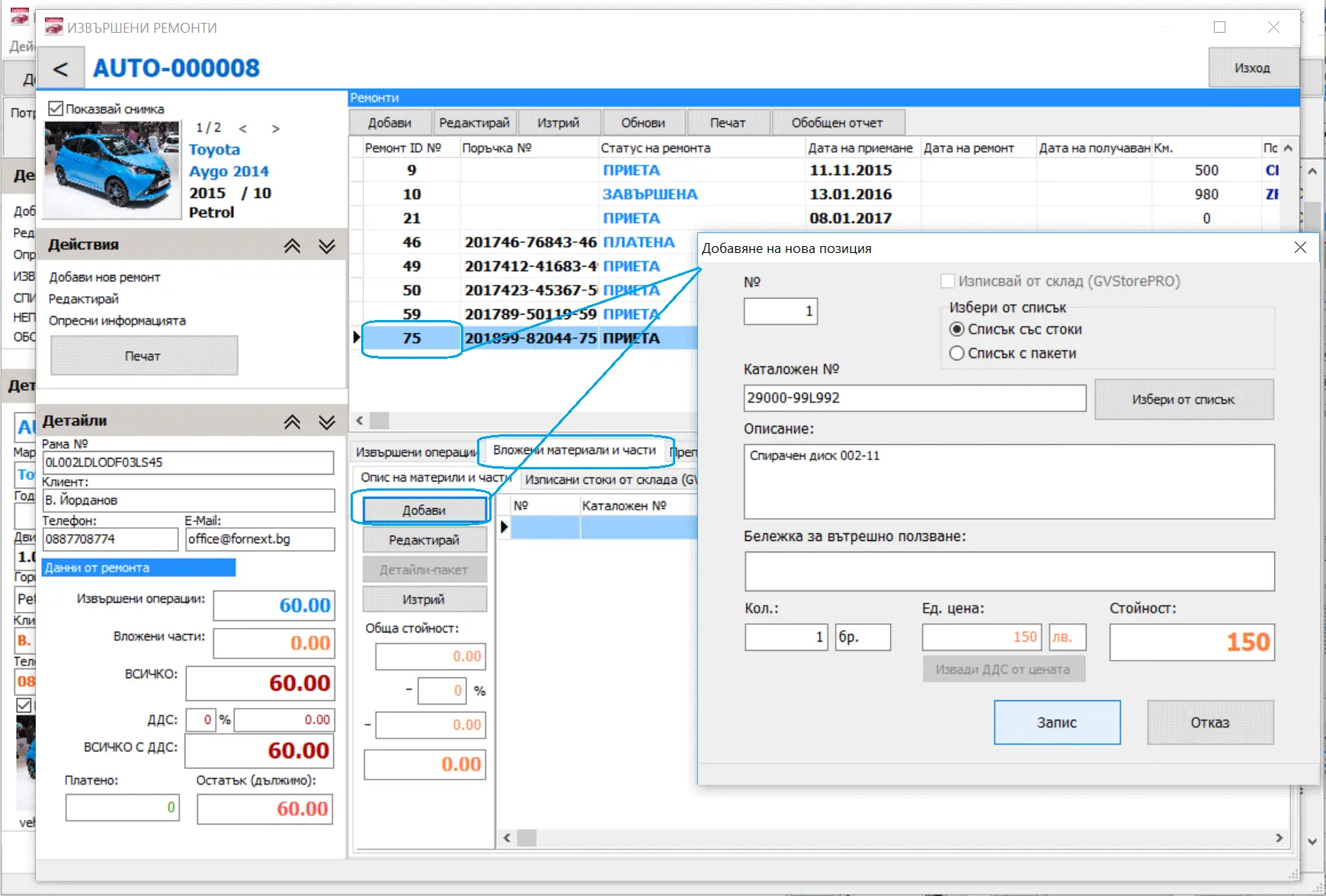
- the work carried out, with names, prices and other details;
- the parts used, with identification, quantity and price;
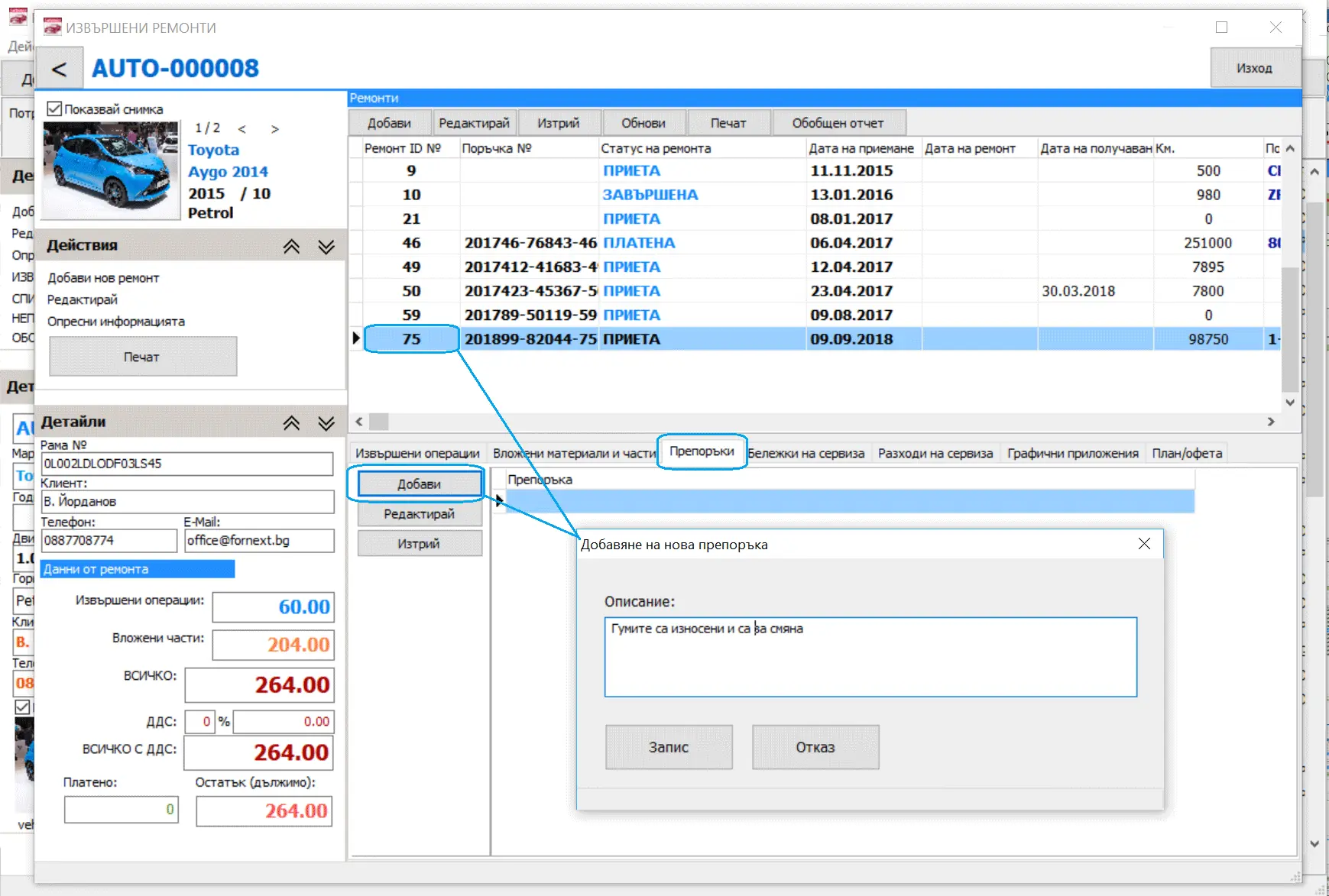
- recommendations for the customer to check at the next visit.
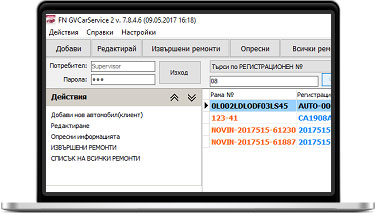
Light and easy to use
Registering vehicles and repairs is quick and simple. Users find their way around the software intuitively, and most learn the main functions in 10–15 minutes.
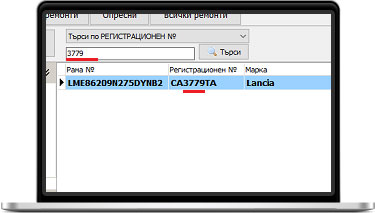
Fast search by registration number or customer
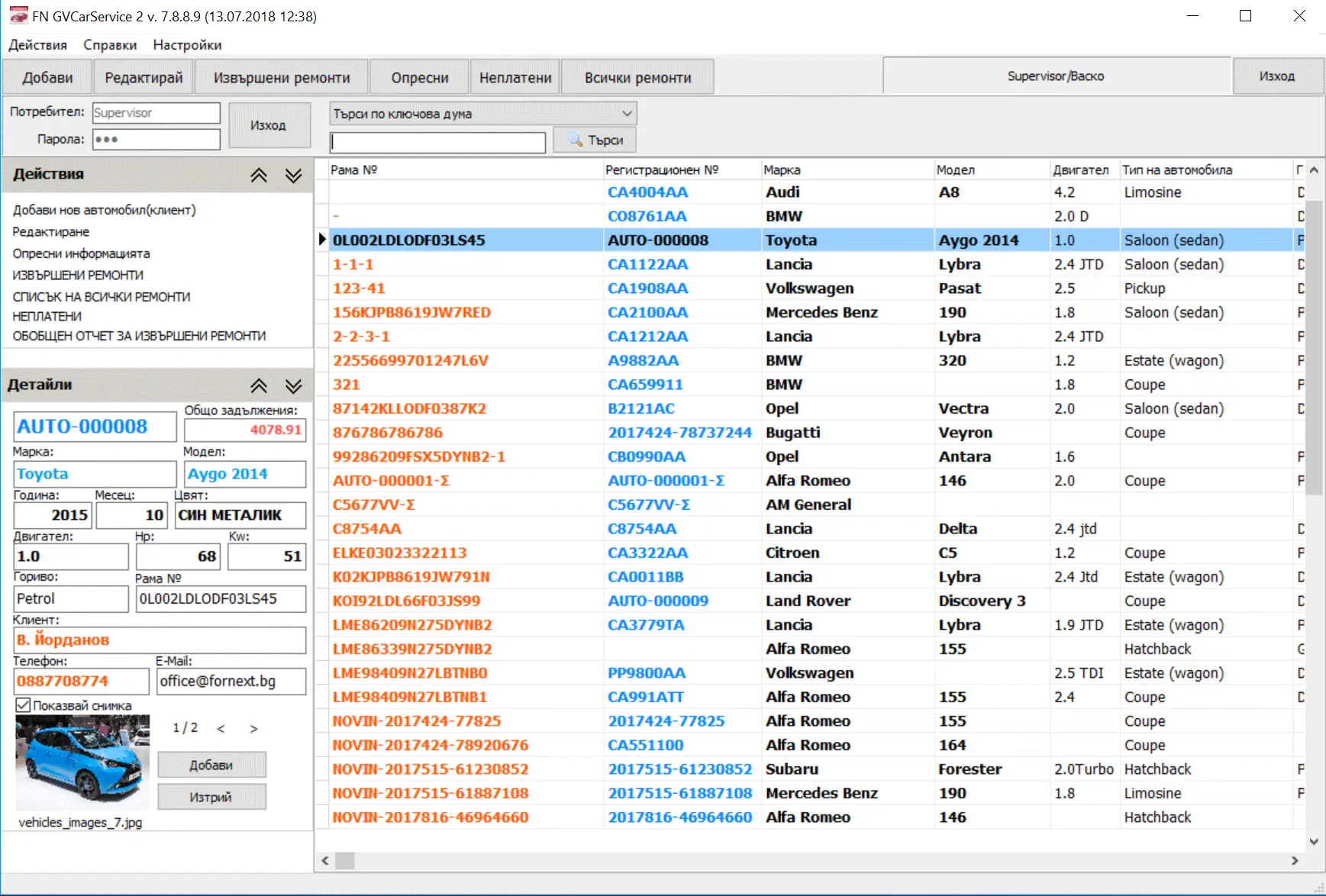
Use the search fields above the list to find a customer straight away by vehicle registration number or by name.
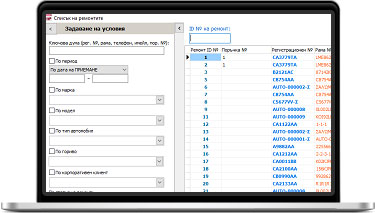
Advanced search
Find customers even from part of a VIN or engine number. Advanced search also lets you filter by phone number and other criteria.
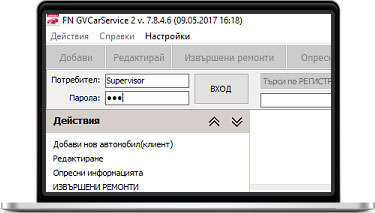
Password-protected access
Each user signs in with a username and password. This protects information about your business and customers from unauthorised access and unwanted changes.
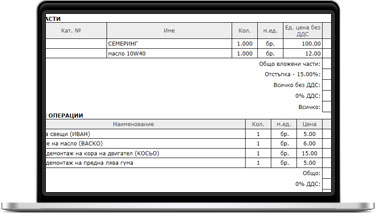
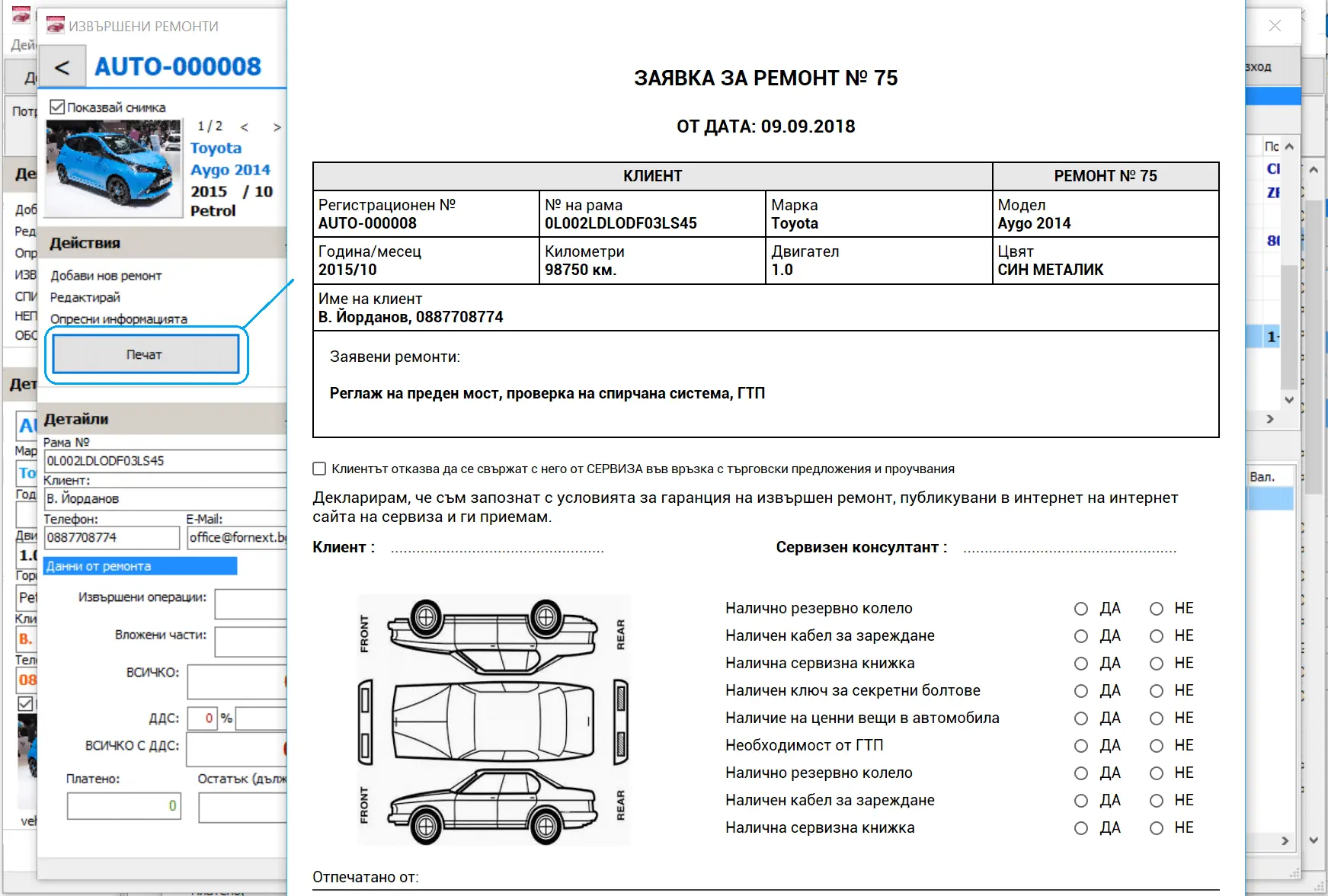
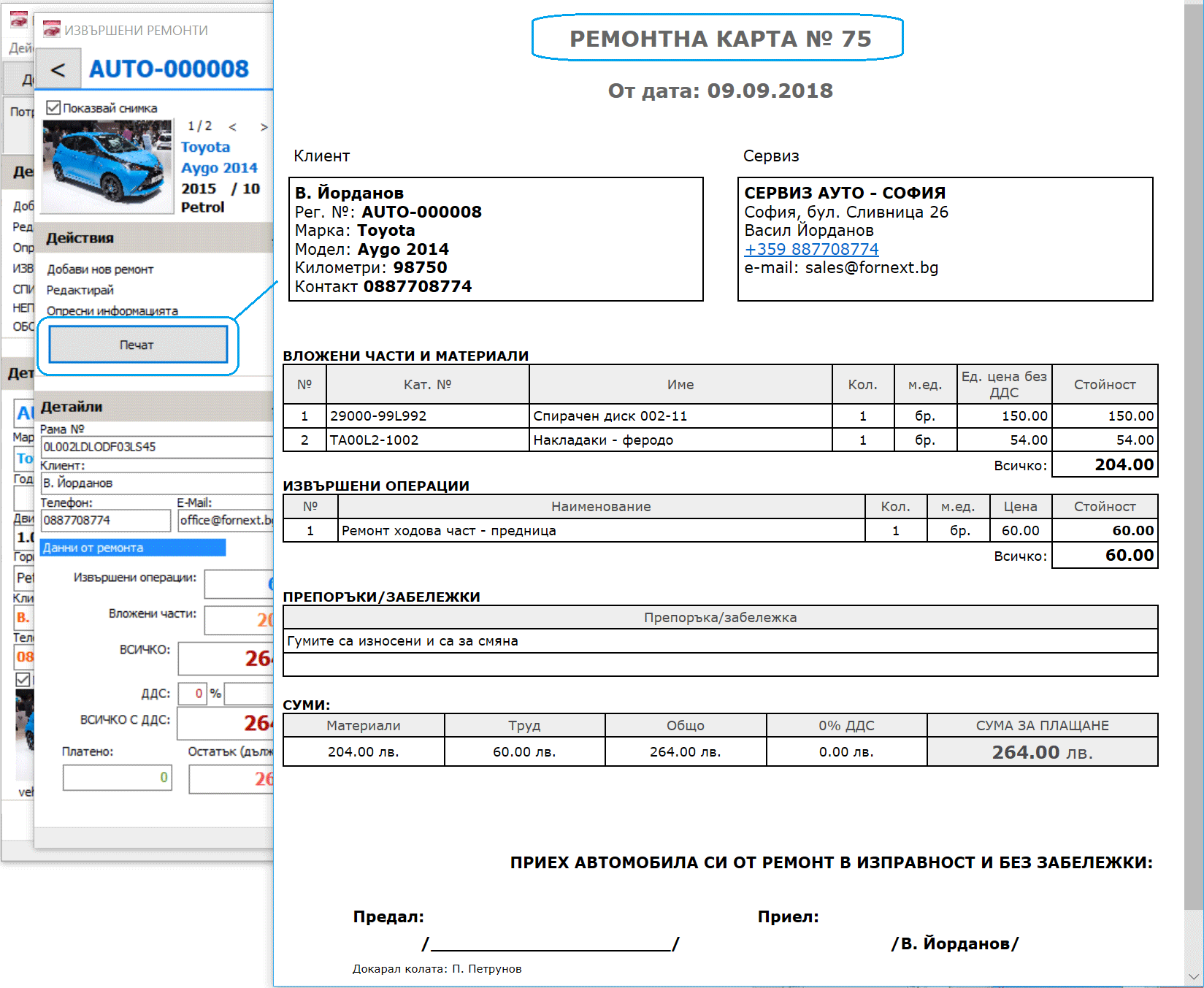
Detailed printout for the customer
Print a detailed report of the completed repair for your customer, including:
- services carried out, with names and prices;
- parts used, with names and prices;
- recommendations for repairs that are needed;
- discounts given.
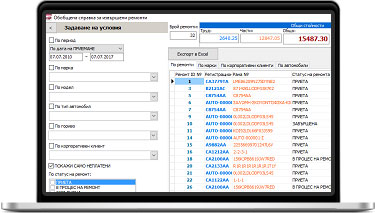
Payments and amounts owed
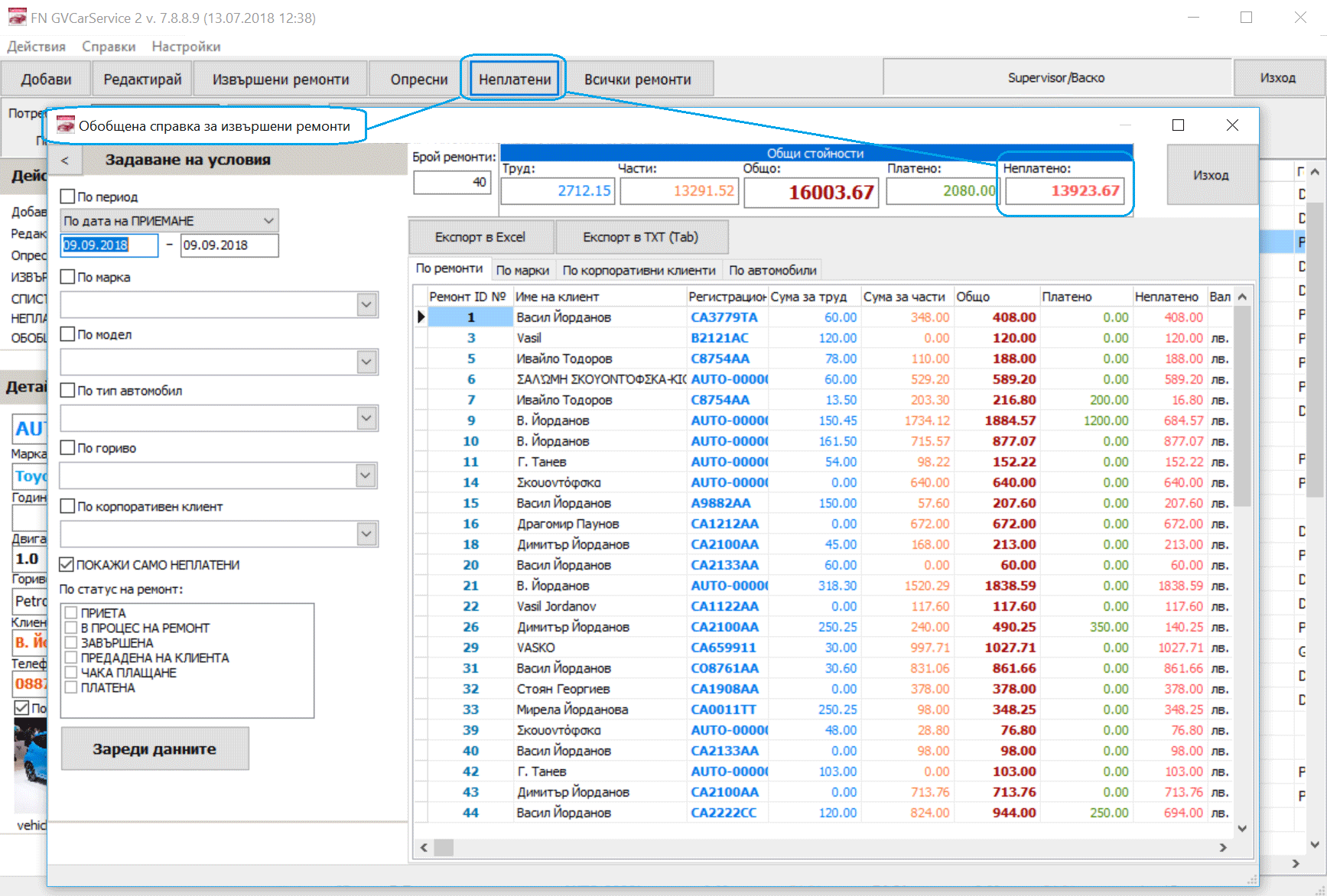
See exactly what each customer owes at any moment. The main screen shows the current customer's balance, so you can quickly check which repairs are still awaiting payment.
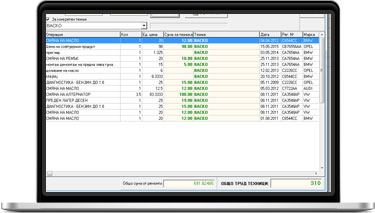
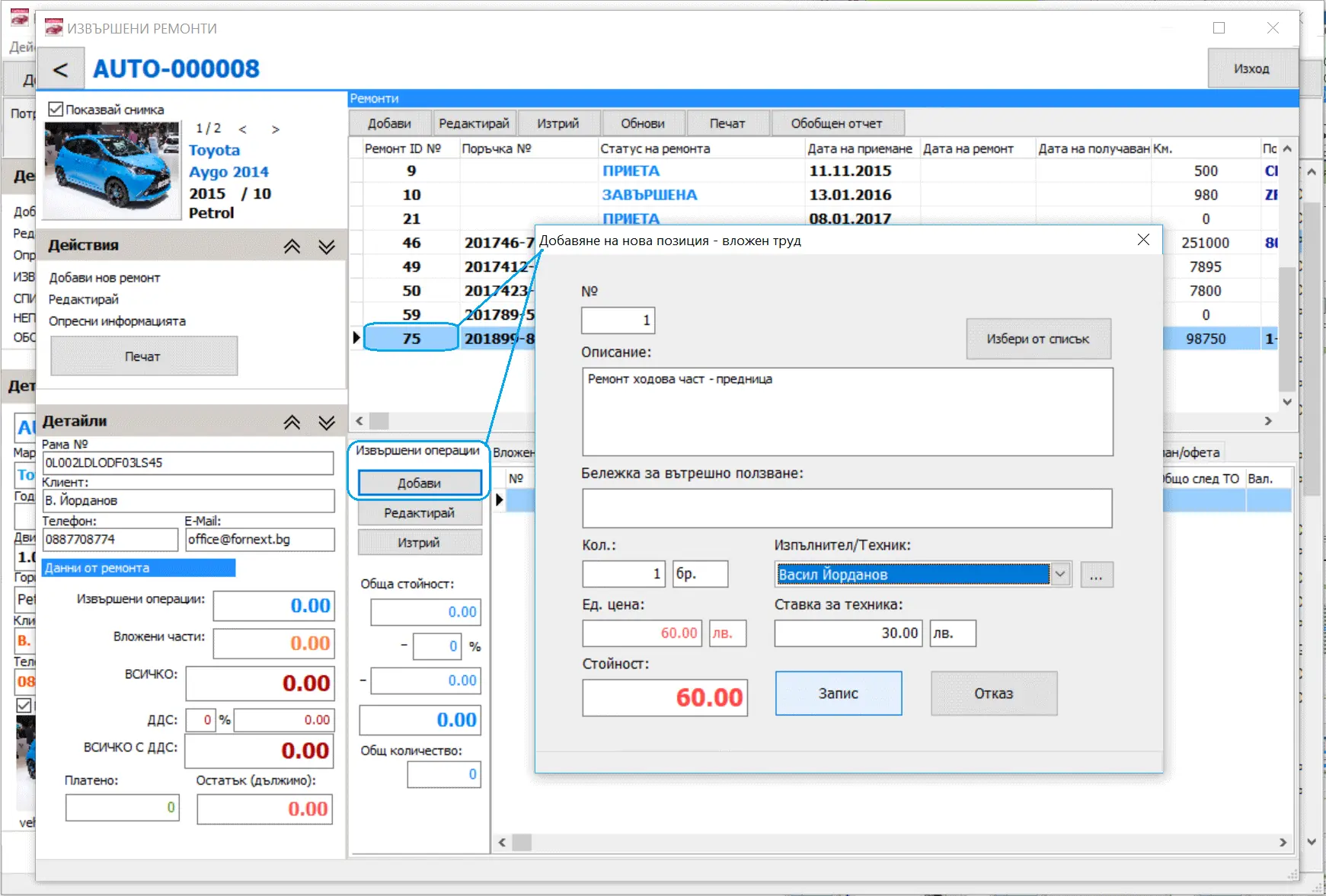
Technicians' labour
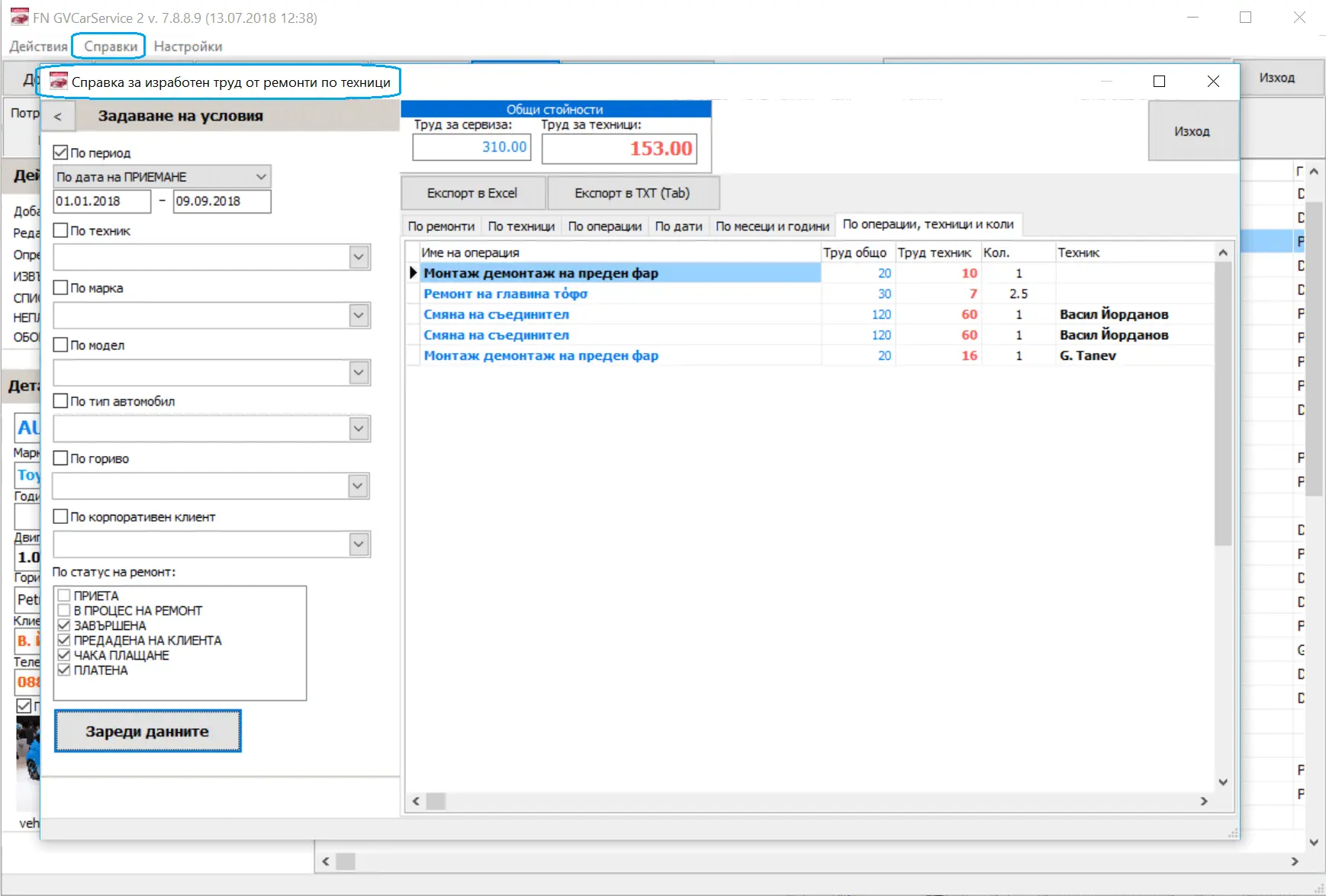
Mark who carried out each operation and enter the rate, or set rates in advance in your service price list. Each technician's earnings are then calculated accurately and linked to the work they did.
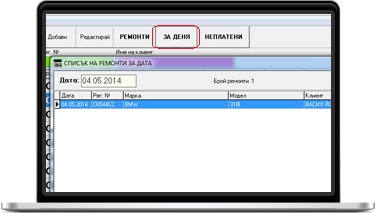
What is booked for repair
Quick buttons on the main screen show which vehicles are scheduled for repair today. You can also choose a date to see vehicles for any past or future day.
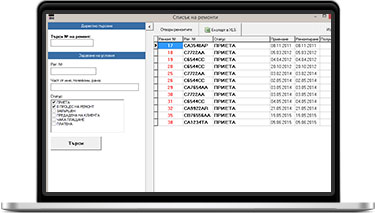
All repairs in one list
Open a full table of repairs and go directly from any row to the customer's history. If a customer brings a printout, you can find the repair by its number.
- Filter by status: unfinished, awaiting payment or ready for handover.
- Search by part of the registration number or VIN, or by the customer's name or phone number.
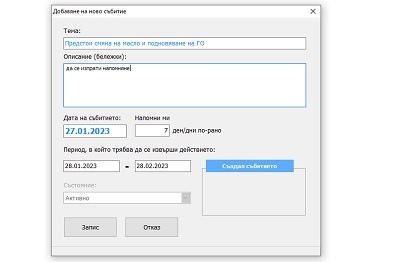
Reminders for upcoming events
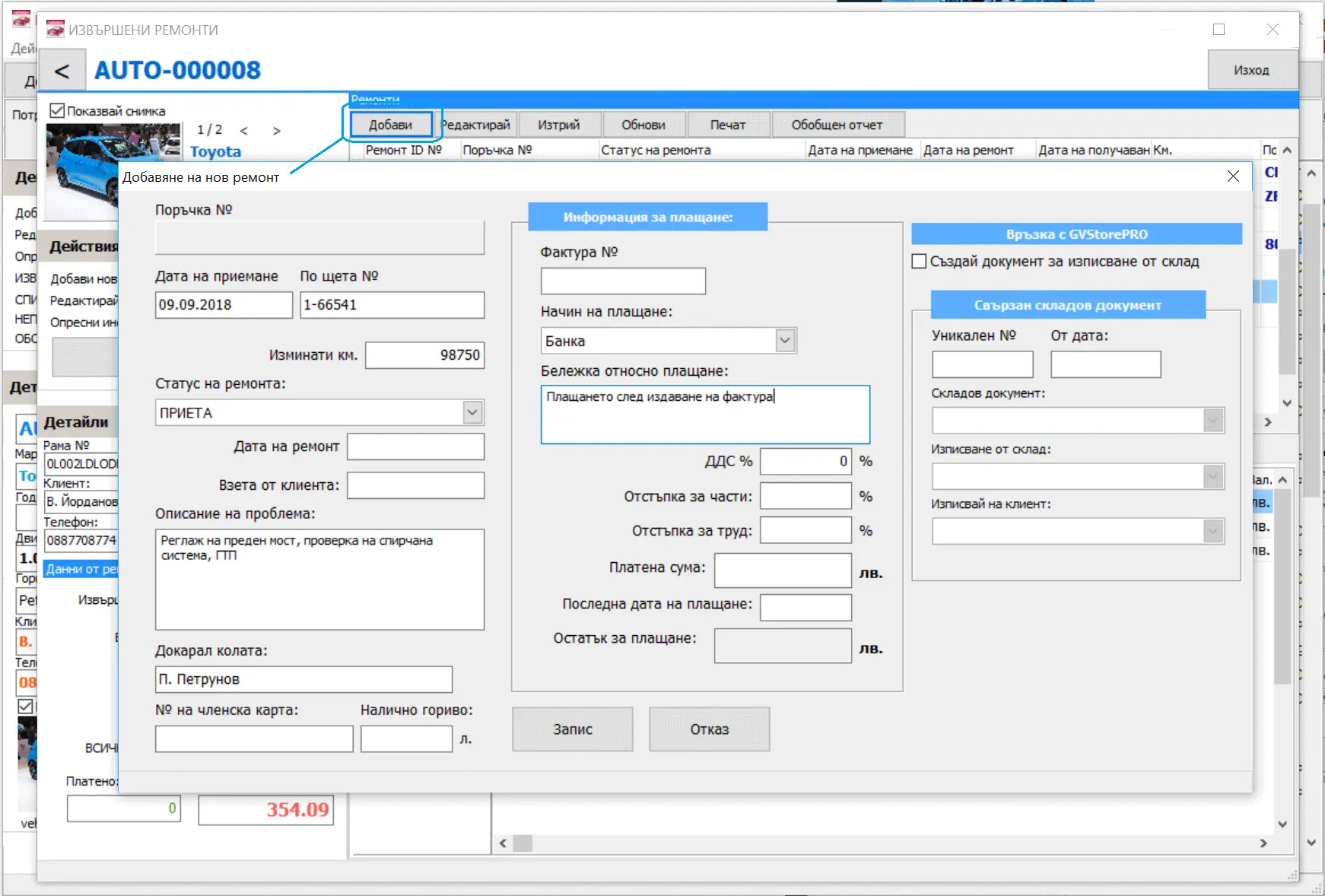
Add reminders to any customer or vehicle, with a date, a subject and how many days in advance you want to be alerted. Use them for oil changes, insurance renewal, periodic vehicle inspection and more. You can also enter visit times and use reminders as a simple work schedule.
More features
VIN and registration number
Use either the VIN or the registration number as the main vehicle identifier, and search by both.
Extended vehicle data
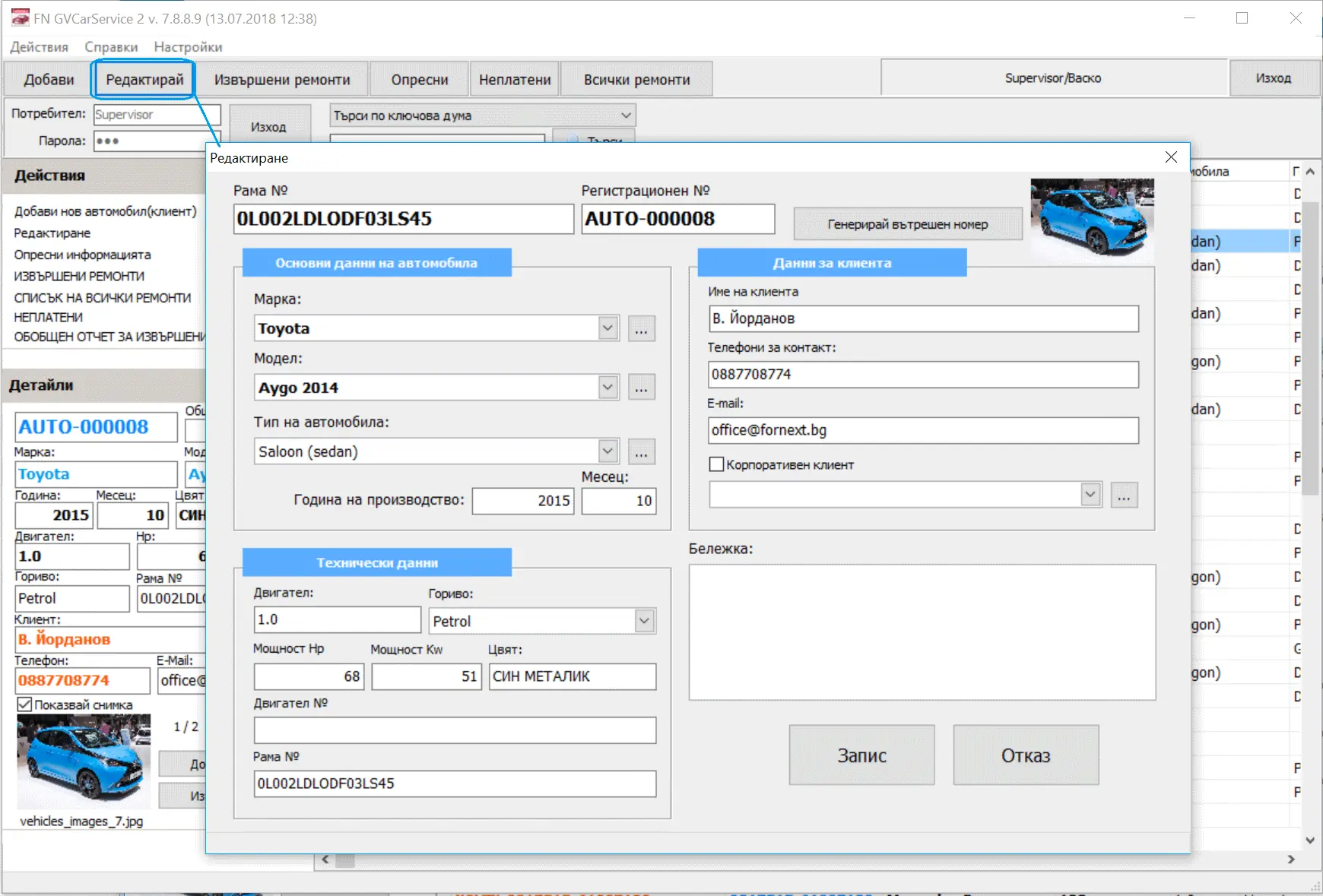
Record the fuel type, and the exact year and month of manufacture.
Vehicle and repair photos
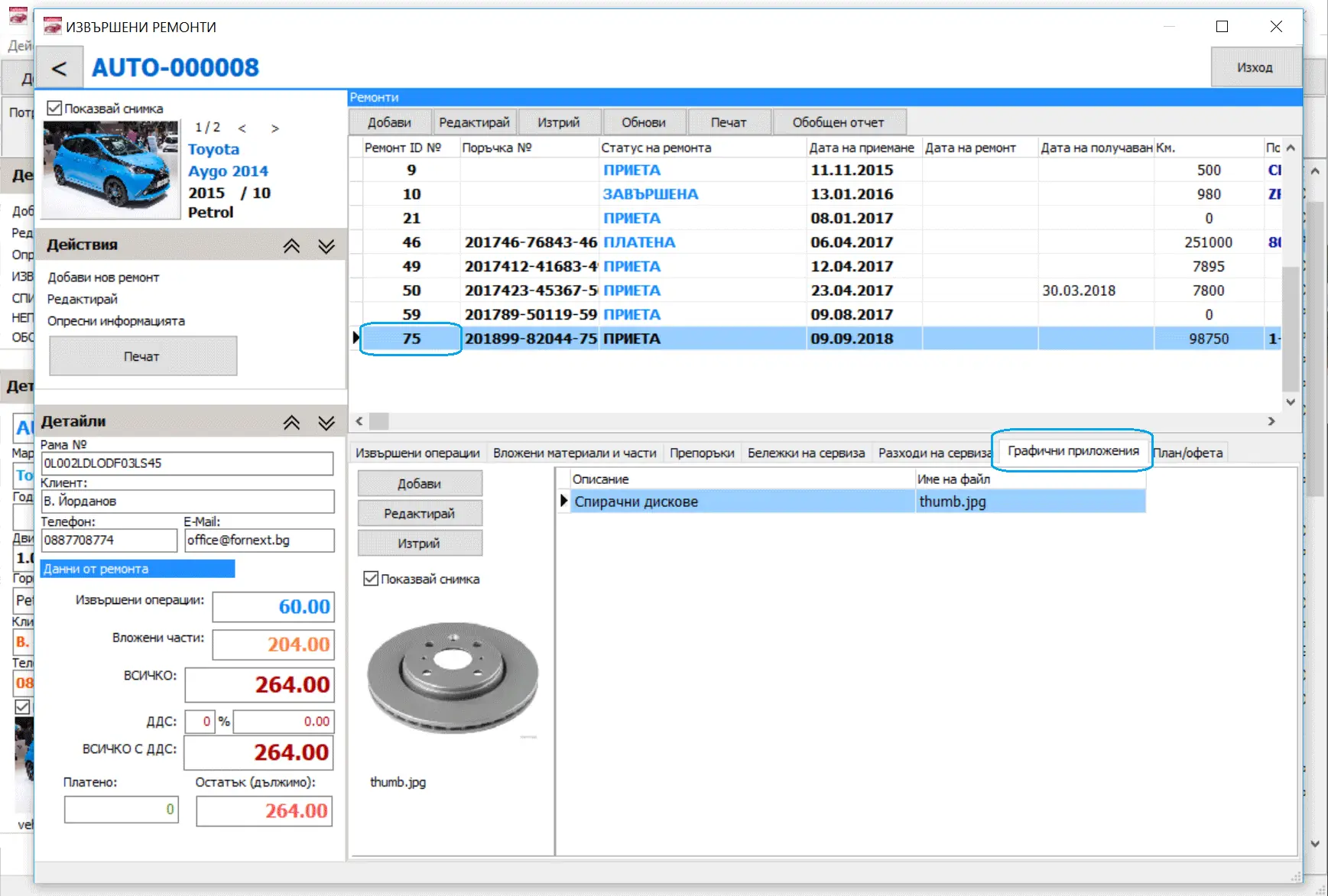
Attach a photo to the vehicle profile and add images to any repair.
One-click sorting
Click any column in the vehicle list to sort by it, whichever search you used.
Service packages
Create packages of services and parts, then add them to repairs in one step.
Repair plan and quote
Prepare a list of planned work to give the customer a quote before the repair starts.
Separate discounts
Set different percentage discounts for labour and for parts on the same repair.
User accounts
Each user signs in separately, so operations in the system can be traced to the person who made them.
Prices and terms
Annual rental, one workstation
€178 per year
The right to use the software for 12 months, with a 20-day grace period for renewal.
Each additional workstation
€89 per year
For every additional copy after the first, on the same local network at one service centre.
Discounts for longer periods (one workstation)
| Period | Price per year | Total |
|---|---|---|
| 1 year | €178 | €178 |
| 2 years | €160 | €320 |
| 3 years | €141 | €423 |
| 4 years | €120 | €480 |
All prices are final prices in euro, VAT included. Payment is by bank transfer.
What the price includes
The price covers the right to use the software for the chosen period. After that, you can renew for one year or longer. Support is not included and is arranged individually, through a local representative where one is available.
More than 4 workstations
Please send us an enquiry for a package price.
Changes on request
GVCarService-2 is a ready-made product. Customers can order additional features or modules for an extra charge, and FORNEXT may decline a change at its discretion. Changes that are made become available to all users. We also welcome suggestions for improving the product.
Screenshots
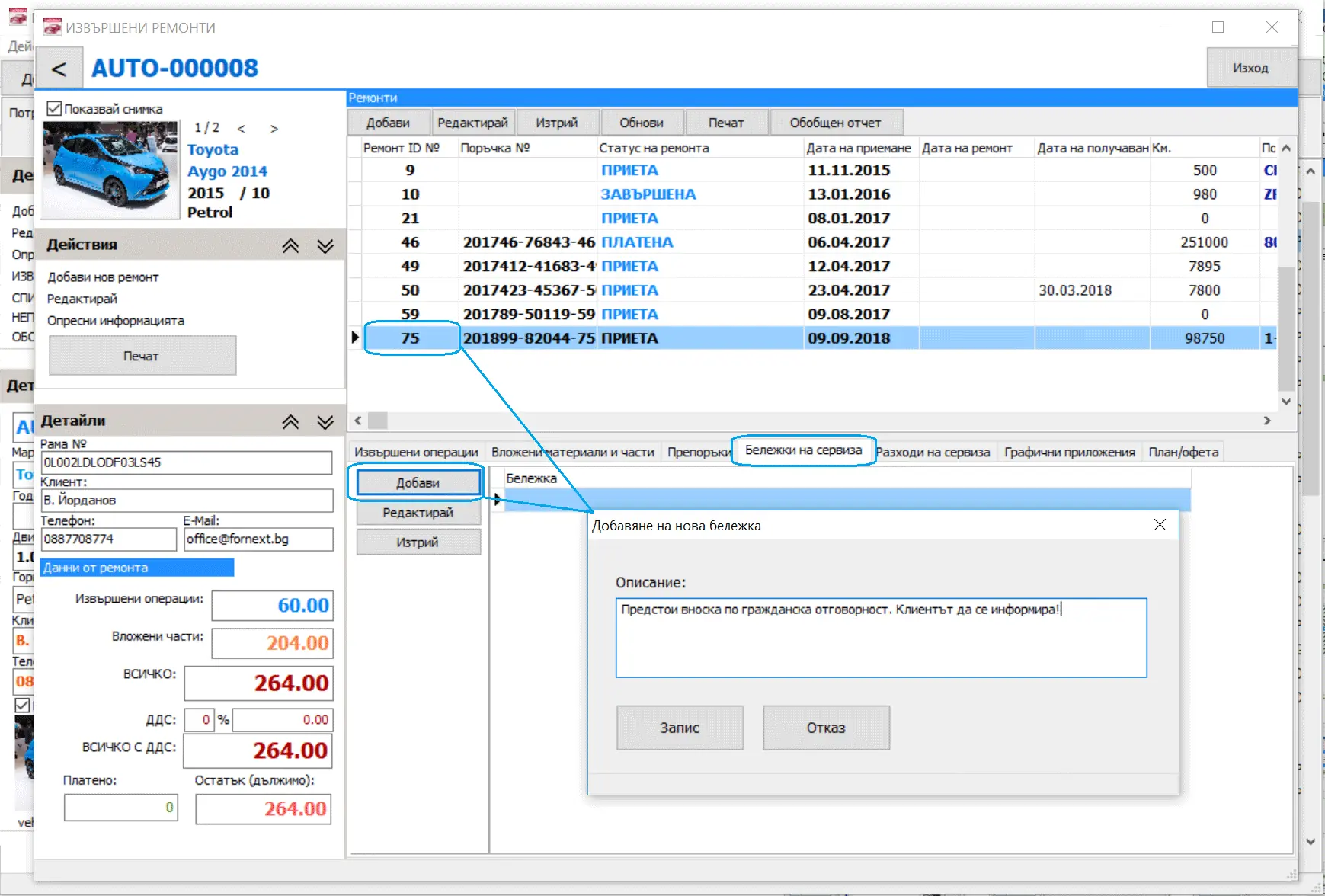
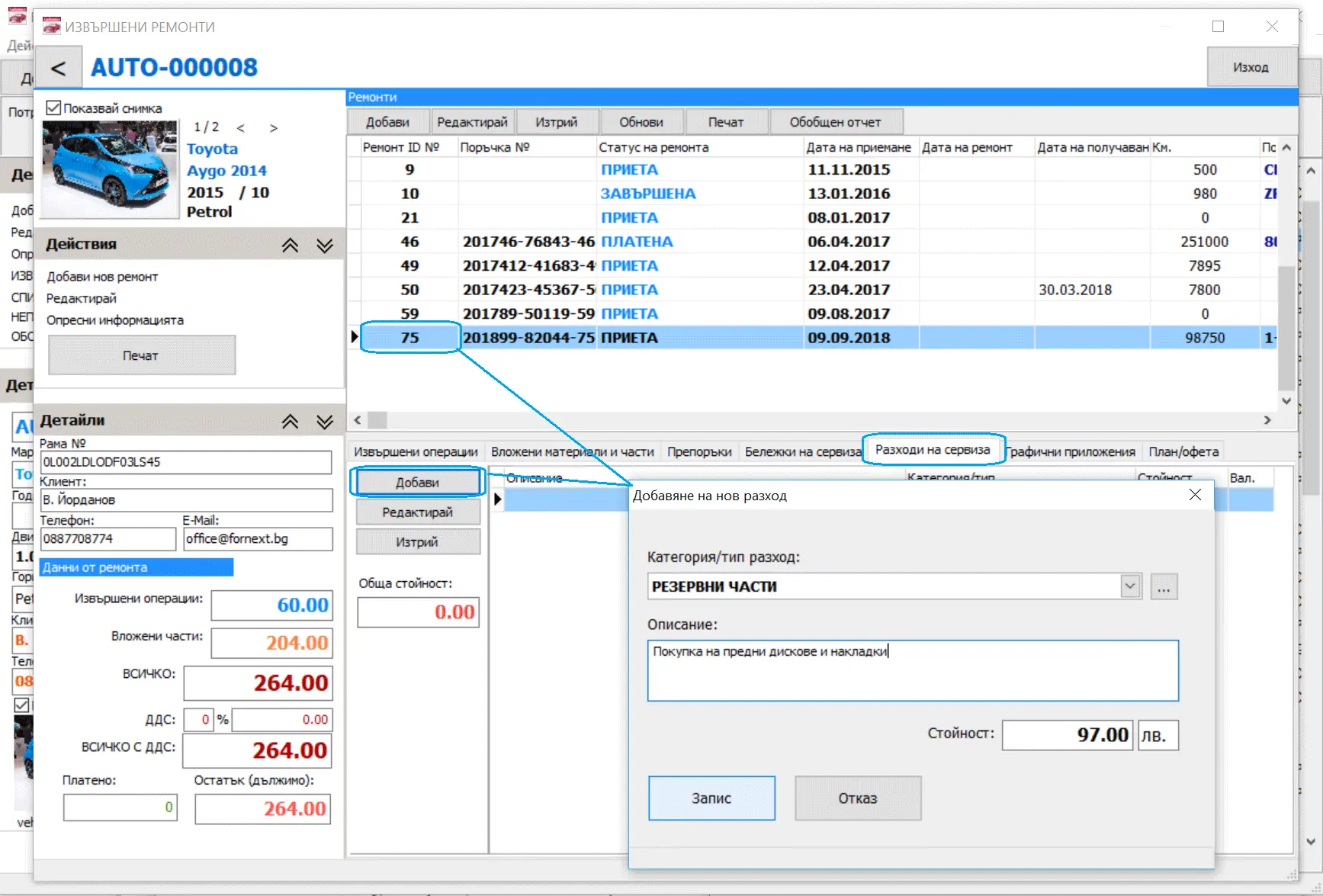
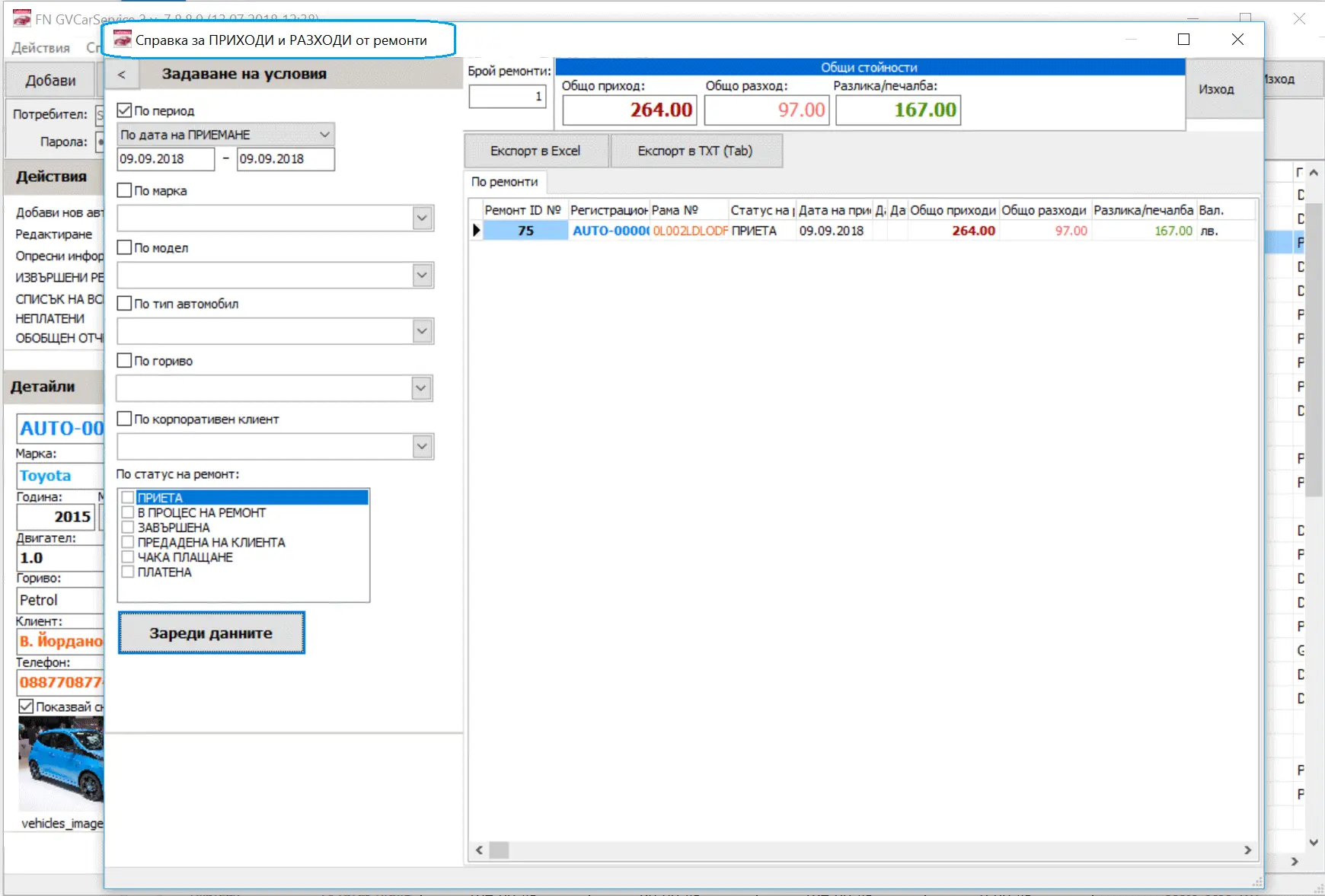
These screenshots currently show the Bulgarian interface. The software is available in English, and English screenshots are coming soon.
Frequently asked questions
Is there a module for creating work orders?
Yes. The software is built around creating work orders and tracking everything related to them.
Is the full service history of a vehicle kept?
Yes. All repairs, parts, labour, recommendations, costs and technicians are visible as soon as you find the vehicle by VIN, registration number or any other search on the main screen.
Is the software easy to use?
Yes. It is light and convenient, and 10–15 minutes are usually enough to learn the main functions. Many customers find their way around without initial training.
Can I track what customers owe?
Yes. One click on the "Unpaid" button on the main screen shows the total owed, split into parts and labour, with the amount paid and the balance. From there you can open any repair, mark it as paid or add a partial payment.
Can it calculate mechanics' labour?
Yes. Each labour operation can be linked to a technician, with the amount for the technician and the amount for the garage. Reports break the work down by repair, technician, operation, vehicle and period.
Does it run locally or in the cloud?
This version, GVCarService-2, runs on Windows with a local database on your computer, so it does not need hosting or a permanent internet connection. This does mean that your computers need care and your data needs regular backups. A web-based version is in preparation.
Does it have reminders?
Yes. You can register upcoming events for any vehicle, such as a service, inspection or insurance renewal. The main screen shows them in red, so you can see who to contact and why. There are no extra fees for this.
Is there a limit on the number of users?
No. You can register as many users as you need, as administrators or regular users. The number of workstations where the software runs depends on your licence.
Is there a limit on vehicles or repairs?
No. There are no limits on vehicles, customers, repairs, recommendations, users or technicians.
Can I add photos to repairs?
Yes, with no limit on number or size. Because the database is local, large numbers of photos need enough disk space on your computer or file server.
How to get started
- Send an enquiryTell us about your business and how many workstations you need.
- Talk to usWe answer your questions and confirm the price and the conditions in your country.
- Get set upWe prepare the software for you and arrange local support where a representative is available.
Interested in GVCarService-2?
Contact us about prices and availability in your country.